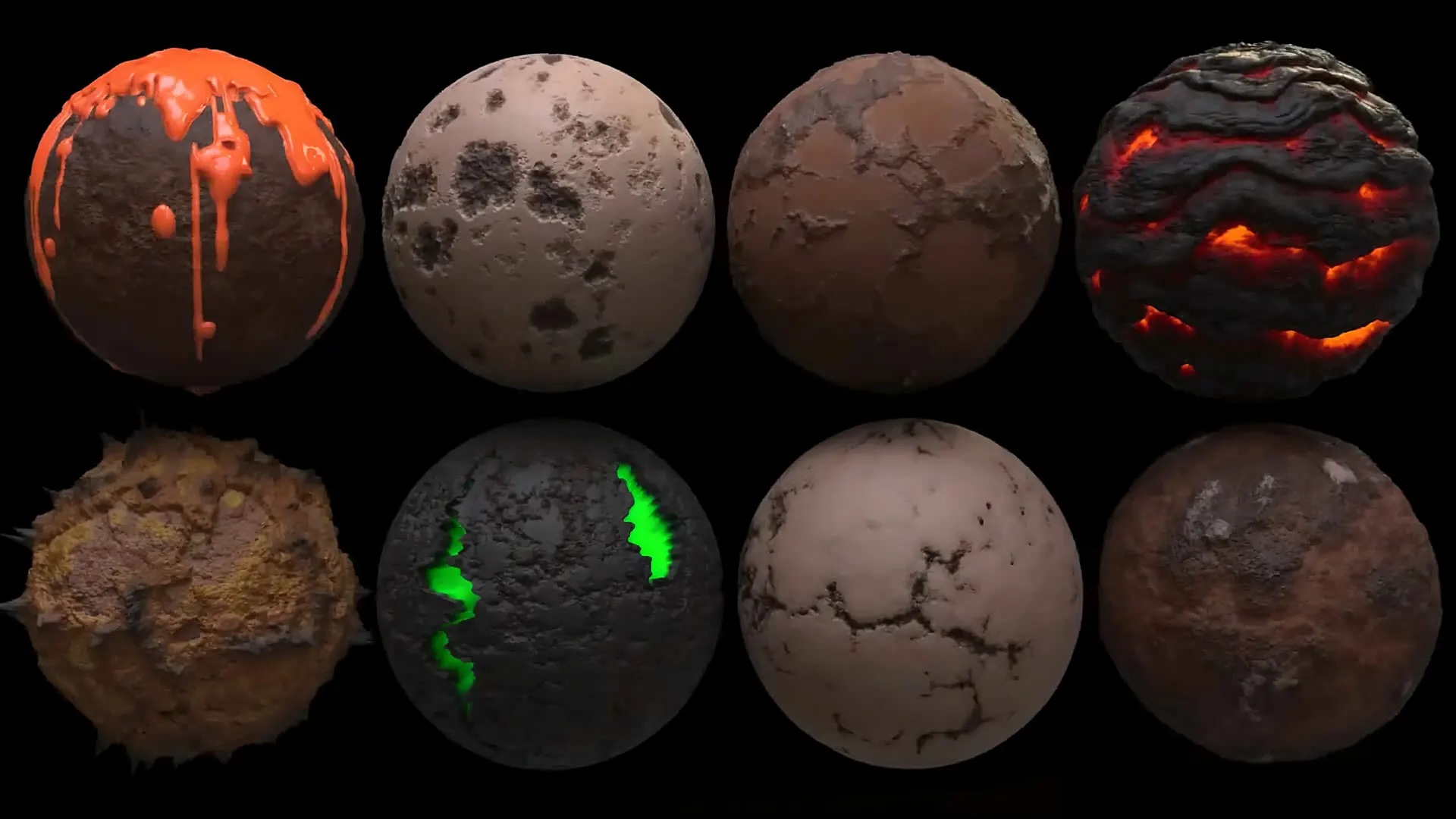
The Copernicus Framework: Mastering GPU-Accelerated 2D/3D Image Engineering
Timeframe
2 Weeks
Target Audience
Look-Dev Artists & Texture Technical Directors
Protocol Status
Live Lab Active
// THE_ABSTRACT // INFORMATION_DENSITY_LEVEL_4
The Copernicus Framework Protocol at CardanFX defines the transition from 'Round-Trip Texturing' to 'Embedded Procedural Synthesis.' Historically, artists were forced into a destructive cycle: exporting 3D geometry to external software, painting textures, and re-importing them into Houdini. In 2026, Copernicus eliminates this 'Context Friction' by providing a GPU-native environment where 2D image data and 3D geometric attributes coexist in a single, live node graph. This protocol masters the use of GPU Kernels to process images at near-zero latency, enabling real-time feedback on complex shaders and volumetric maps. We focus on the Geometric Awareness of Copernicus—the ability to sample 3D data (normals, occlusion, curvature) directly into 2D texture layers without baking. By utilizing MaterialX-standard outputs, the framework ensures that textures generated in Copernicus are natively interoperable with Unreal Engine 5.7 and the Spatial Web (WebXR).
What is the Copernicus Framework in Houdini?
The Copernicus Framework is Houdini 21’s GPU-accelerated image processing and compositing architecture. It replaces legacy CPU-bound COPs with a high-performance GPU-native engine, allowing for real-time procedural texture generation, 3D-to-2D geometric sampling, and seamless integration with MaterialX and Karma XPU for high-velocity look-dev pipelines.
01 // The Problem Space
Legacy Failure Induction
The CardanFX solution is Copernicus Unified Shading, where the image engine lives on the same GPU memory as the 3D viewport, allowing for instantaneous data sharing.
02 // Math & Logic Foundation
The DNA of Spatial Data
A. GPU-Native Processing (VEX on GPU)
Copernicus utilizes custom GPU-optimized Kernels to handle image operations. Custom Copernicus Wrangles allow us to write shaders that manipulate 2D channels using the same mathematical logic found in our Logic & Math Protocol.
B. 3D-to-2D Geometric Sampling
We eliminate traditional baking by using the Sample Geometry node to pull 3D attributes (like @stress or @temperature) directly into 2D masks in real-time.
C. MaterialX & Karma XPU Integration
Copernicus is designed to output MaterialX nodes, providing a WYSIWYG experience where texture graphs pipe directly into Karma XPU shaders.
03 // The Optimized Workflow
Protocol Implementation
Step 1: Attribute Capture (The 3D Input)
Step 2: GPU-Accelerated Blending
// VEX-GPU: Blending rust based on curvature
float mask = cop_input_curvature;
vector rust_color = {0.4, 0.1, 0.05};
v@Cd = lerp(v@Cd, rust_color, mask * chf("intensity"));
Step 3: Real-Time Look-Dev (Solaris Stage)
Step 4: Spatial Web Export (USDZ/GLB)
Performance Benchmarks // Destructive vs. Procedural
| Metric | Legacy Destructive | CardanFX Procedural |
|---|---|---|
| Blur Filter (4K) | 4.2 Seconds (CPU) | 0.08 Seconds (GPU) |
| Procedural Pattern Gen | 8.5 Seconds (CPU) | 0.12 Seconds (GPU) |
| Geometric Sampling | Manual Bake (Minutes) | Real-time (ms) |
| Viewport Refresh Rate | 1-2 FPS | 60+ FPS |
05 // AI-Assistant Integration (Agentic VFX)
Generative Texture Nodes: Integrating directly with the Latent FX Pipeline, artists will use AI-nodes within Copernicus to generate pores or fabric weaves based on 3D depth maps in real-time.
Autonomous Up-Res: Direct background neural processes will upscale 512px proxy textures to 8K at the moment of spatial interaction, saving massive VRAM resources.
Curriculum: Copernicus: The Visual Singularity
COURSE_ID: CFX-H21-COP
CORE_OBJECTIVE: To utilize the GPU-accelerated Copernicus architecture for real-time look-dev, procedural texturing, and 2D/3D data interoperability.
Module 1: The GPU-Driven Architecture
Focus: Understanding the shift from CPU-bound COPs to the Copernicus Kernel.
- [1]1.1 OpenCL Acceleration: Mastering the GPU memory handshake for 100x speed gains.
- [2]1.2 Resolution-Independence: Logic that scales from 512px WebGPU to 8K Cinematic output.
- [3]1.3 The Copernicus Viewer: Real-time feedback loops between image logic and 3D viewports.
Module 2: The 2D/3D Interoperability Loop
Focus: Treating images as geometry and geometry as images.
- [1]2.1 SOP-to-COP (The Rasterizer): Converting geometry and attributes into Height/Normal/Curvature maps.
- [2]2.2 COP-to-SOP (The Displacer): Using pixel streams to drive 3D deformations and volumetric density.
- [3]2.3 Attribute-Driven Masking: Creating masks directly from @stress or @v simulation attributes.
Module 3: Custom Kernel Engineering (Pixel Logic)
Focus: Writing custom OpenCL and VEX snippets for image manipulation.
- [1]3.1 The Copernicus Wrangle: Custom pixel-logic for non-standard effects (Procedural Glitch/Neural Noise).
- [2]3.2 Vector Math for Pixels: Applying Dot/Cross products to normal maps for real-time lighting calculation.
- [3]3.3 Data Packing: Using Python to pack R/M/AO/Logic-ID into single, engine-ready textures.
Module 4: HDA Orchestration & Elastic Texturing
Focus: Building HDAs that generate their own textures on-the-fly.
- [1]4.1 The Live Asset Standard: HDAs where one slider updates both 3D mesh and 2D texture maps.
- [2]4.2 Automated Look-Dev: Generating variations for 1,000+ assets without manual UV painting.
- [3]4.3 MaterialX Hub: Piping Copernicus directly into Karma XPU and Unreal Engine 5.7.
Module 5: Performance Benchmarks & Engine Deployment
Focus: Delivering Copernicus-Grade assets to the Spatial Web.
- [1]5.1 Compute Efficiency: Seconds-per-frame latent generation vs. hours-per-frame rendering.
- [2]5.2 AI-Assisted Debugging: Using agents to adjust ControlNet weights for liquid aeration.
- [3]5.3 AEO Metadata: Python logic for high-authority indexing and provenance tracking.
Technical Benchmarks for Graduation
Bake Time: Achievement of <1 second 4K bake for dynamic procedural assets.
Live Feedback: 60FPS viewport update for texture deformation during geometric edits.
Interoperability: Successful MaterialX export of a Copernicus texture graph to UE 5.7.
Sovereignty: The surface must be 'Live' and react to the Geometric Stream without static file dependencies.
Instructor's Note on "Procedural Sovereignty":In this course, we are not teaching you how to make a wall. We are teaching you how to write the laws of physics that govern every wall that will ever be built in your pipeline. This is the transition from worker to architect.
Frequently Asked Questions
Q: Does Copernicus replace Substance Painter?
A: For 90% of procedural aging and look-dev, yes. It maintains a live connection to your geometry.
Q: What are the hardware requirements?
A: GPU-native. We recommend 16GB VRAM (RTX 3090/4090) for 4K processing and Karma XPU sync.
Q: Can Copernicus process 3D volumes?
A: Yes. It samples 3D VDB data into 2D maps for complex 'Heat Map' and 'Fluid Flow' textures.
Q: Is it compatible with Unreal Engine 5.7?
A: Yes, via the USD/MaterialX bridge. The logic exports as a shader Unreal natively understands.
Join the Technical Lab
Ready to master the procedural standard? Enroll in the next Great Escape cohort and secure your position in the architectural frontier.