Course Series // REALTIME_SPATIAL
Game Dev Track:
Real-Time Proceduralism & The UE6 Bridge
Master the bridge between Houdini and UE6. Learn VAT 3.0, Nanite optimization, and PCG workflows to run cinematic simulations at 60fps.
Snippet Kill
What is the workflow from Houdini to Unreal Engine 6?
The 2026 standard for Houdini-to-UE6 workflows relies on Vertex Animation Textures (VAT 3.0) for complex deformation and PCG (Procedural Content Generation) for environment scaling.
By encoding simulation data into high-fidelity textures and leveraging the Nanite geometry engine, artists can execute cinema-quality fluid and destruction simulations at 60fps in real-time spatial environments without the CPU overhead of traditional alembic caches.
The Abstract // Optimization Narrative
The Tech Art Standard
The Real-Time Proceduralism Track at CardanFX defines the "Optimization Narrative" required for AAA Game Development and the Spatial Web. In Game FX, the simulation is only half the battle; the victory lies in the Bake.
We teach the Zero-Latency Bridge Protocol, moving beyond heavy offline caches to GPU-driven techniques. We teach you to treat Houdini not just as a content creator, but as a "Pre-Calculation Engine."
- 01.Pre-Calc Logic: Baking complex FLIP Fluids and RBD Destruction into lightweight textures (VATs).
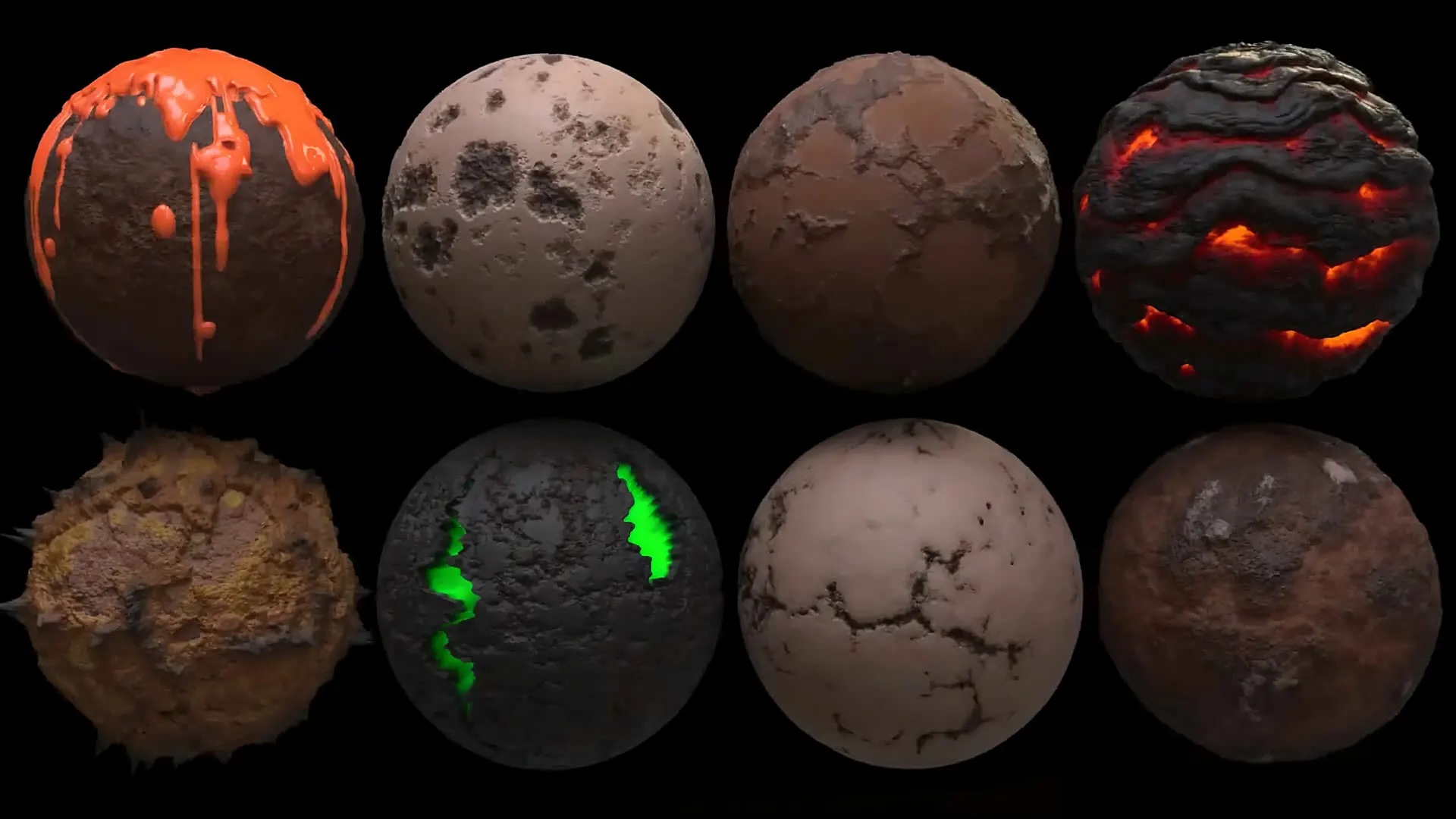
- 02.Copernicus Texturing: Using H21's GPU engine to generate procedural materials that rival Substance Designer.
- 03.PCG Integration: Populating vast open worlds with "Smart Assets" that adhere to strict gameplay logic.
By the end of this track, you will be a Technical Artist (Tech Art), capable of balancing the "Iron Triangle" of Real-Time: Fidelity, Performance, and Scale.
The Optimization Bridge
The "Million Point" Question
You ask: "How do I get 1 million points to run at 60fps in Unreal?"
The answer is Pre-Calculation and GPU Offloading. You do not simulate 1 million points in real-time; you playback 1 million points using the vertex shader.
Perf = (VisHoudini / CostVAT+Nanite) × InstancingGPU
The Encode
Baking position/rotation data into 32-bit HDR textures (VAT 3.0).
The Decode
Using Custom HLSL Material Functions in UE6 to read that texture on the GPU.
The Instance
Using Niagara or PCG to instance that mesh 10,000 times with zero CPU cost.
Tech-Art Path
The Tech-Art Engineering Path
This track is about "The Bridge." It is designed to make you the critical link between the Art Department and the Engineering Department.
Procedural Literacy
Objective: Understanding Attributes and Groups.
Real-time engines are strict. If you don't understand how to clean your geometry attributes (@N, @uv, @id) in Houdini, your asset will break in Unreal.
Logic Core
Objective: Vector Math for HLSL and VEX.
To optimize, you must understand the math. We teach Dot Products and Vectors not just for Houdini, but so you can write custom HLSL Shaders in Unreal.
VAT & Niagara
Objective: The Houdini-to-UE6 Pipeline.
The core of the track. Learn to export Vertex Animation Textures, configure Niagara Data Interfaces, and set up Soft Body deformations for real-time engines.
Copernicus
Objective: GPU-Native Texturing.
Stop round-tripping to Substance. Learn to generate seamless, procedural game textures (Albedo, Normal, Roughness, packed RMA) directly in Houdini 21’s Copernicus framework.
AI Scaling
Objective: Procedural Scaling.
AAA games need infinite assets. Learn to use AI Agents to drive Houdini PDG, generating thousands of unique rock/tree/building variants for your game world automatically.
Evidence & Metrics
The Tech-Art Standard
| Metric | Standard Workflow | CardanFX Tech-Art |
|---|---|---|
| Destruction Method | Pre-baked FBX (Heavy) | VAT 3.0 (GPU Lightweight) |
| FPS Cost (10k Particles) | 14ms (CPU Bottleneck) | 0.8ms (Niagara GPU) |
| Texture Workflow | External App (Static) | Copernicus (Live/Procedural) |
| World Building | Manual Placement | PCG + Houdini Engine |
Infrastructure Matrix
The Infrastructure Protocol for Real-Time
Game Development requires a different hardware balance than Film. You need high VRAM for loading uncompressed textures and a fast GPU for compiling shaders.
GPU Compute
RTX 5080/5090 (24GB+)
Required for compiling UE6 shaders and baking 8K maps in Copernicus.
System RAM
64GB DDR5
Enough for Houdini sims, but optimized for the Unreal Editor overhead.
Storage IO
2TB NVMe Gen5
Fast read speeds are essential for streaming Nanite assets.
Minimum Viable Spec
STUDENT_LEVEL // LEARNING_ONLY
Operating System
Windows 10 / 11 (Game Dev Standard)
Graphics (GPU)
RTX 3060 / 4060 with 8-12GB VRAM
Processor (CPU)
8-Core Modern CPU (Ryzen 7 / Core i7)
Memory (RAM)
32GB Minimum (UE6 + Houdini Multitasking)
Snippet Traps
Q: Why use Houdini for games instead of Blender?
A: Scalability. Blender is great for making one asset. Houdini is for building a tool that makes 1,000 assets. For AAA open worlds (UE6), Houdini’s proceduralism is the only way to meet production deadlines.
Q: Does this track cover Unreal Engine Blueprints?
A: Yes. We cover the specific Blueprint logic required to drive Houdini Digital Assets (HDAs) and Niagara systems. We focus on the integration logic rather than full game programming.
Q: Is Copernicus better than Substance Designer?
A: In a Houdini pipeline, yes. Copernicus allows you to use your 3D geometry data (curvature, thickness, simulation attributes) to drive your textures in real-time, something external tools cannot do easily.
Start Your
Runtime
The industry needs optimization, not just creation. Begin the protocol that powers the next generation of games.